One of my favorite resources is Manager Tools. I’ve been listening to their management advice for more than 15 years. No matter what the topic, these folks are all about actionable management advice.
I’ll admit it. As much as I like my office and my TTI fam, my boss told me that I’m “not part of the skeleton crew.” and so I need to work from home for the duration of the COVID-19 situation. I thought I’d share my thoughts and trials of becoming a TTI Ghost so you, too, can share the fun.
Voice
The first thing I did was make sure when people call me, they get me. After all, they don’t know that I’m sitting in my backyard watching the chickens dig for worms.
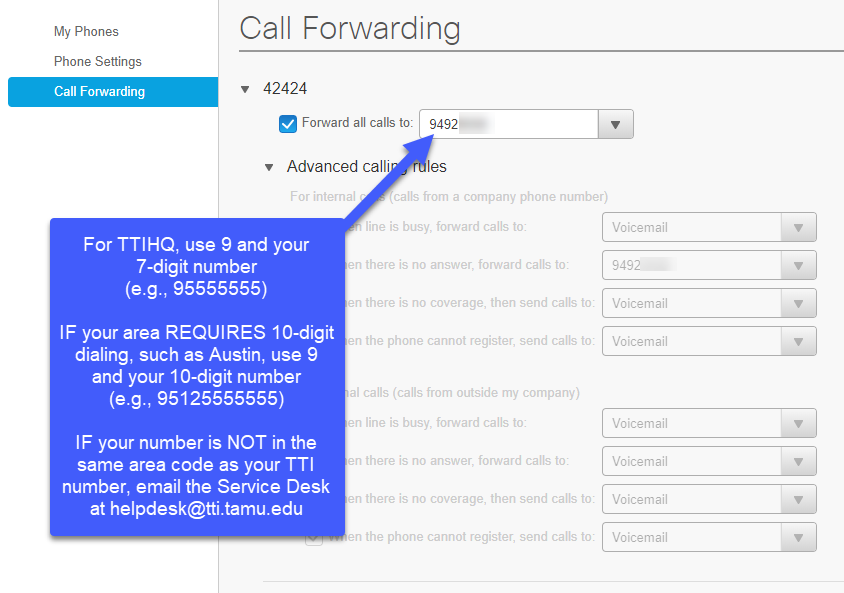
This is actually pretty easy. I headed over to our Cisco Unified Communications Page and logged in using my TTI username without the @tti.tamu.edu extension and my regular password. From there, I selected “Call Forwarding”, checked the box that read: “Forward all calls to:” and entered 9 and my 7-digit mobile number with no parentheses or dashes.
I tried to enter my number with the area code included and that didn’t work. I found out that there are three different use cases with different patterns of digits:
For TTIHQ, use 9 and your 7-digit number (e.g., 95555555)
IF your area REQUIRES 10-digit dialing such as Austin, use 9 and your 10-digit number (e.g., 95125555555)
IF your number is NOT in the same area code as your TTI number, email the Service Desk at helpdesk@tti.tamu.edu. This requires an exception to forward to a “long-distance” number.
One more thing. Since I transferred my TTI line to my personal line, I changed my mobile voicemail message:
Howdy! You’ve reached David Sweeney with the Texas A&M Transportation Institute. With the Covid19 situation, I’m working remotely. It appears that I’ve missed your call, so please leave a message and I’ll contact you as soon as I can. Have a great day, and good health!
Team Communications
Since I’m not going to be in the office, communicating with my team members is an issue. WebEx has a texting application called WebEx Teams. This app is integrated tightly with the main WebEx application and allows you to do much more than just individual and team messaging.
WebEx has a COVID-19 Resource Page with great information about how to work remotely using their tools.
The next problem was meetings. Obviously, WebEx was the solution, but how would I use it? I’m used to opening Outlook and using the Webex Button to schedule meetings. When I click it, it adds a little WebEx thingy at the bottom of the meeting request.
Outlook for the Web doesn’t have the WebEx add-in. Was scheduling a WebEx meeting possible in Outlook for the Web? Sort of. I found a “hack” that works relatively well. Basically, I created a WebEx “boilerplate” that I could paste into meetings created and/or managed through Outlook for the Web. Here’s how I did it:
HOWTO create a WebEx Meeting using Outlook Online
Documents
What about documents? Because I’m a relatively new employee, most of my documents are in Microsoft OneDrive. Even so, I found this great video from the LinkedIn Learning library about using One Drive. As you may know, LinkedIn Learning is a service that TTI pays for. I’ve embedded the introductory video to this course below. You can access the full course by clicking on the link below it and signing on with your TTI credentials. This video taught me everything I needed to know about OneDrive (except one – see below).
How I Added My TTI OneDrive Files to my Personal Computer
On my home computer, I don’t normally have access to my TTI OneDrive files. This is one task that is NOT in the OneDrive course video referenced above. So here’s a little instructional video about how I did this.
HOWTO add TTI OneDrive files to your Personal Computer
Installing OneDrive
How do I install OneDrive. It turns out that if you have Windows 10 on your computer, OneDrive is already installed and integrated. Even so, if you have problems, you can install the OneDrive app by clicking here.
Using TTI’s Remote Desktop Protocol (RDP)
So, there are a couple of programs on my TTI desktop that I don’t have on my laptop. To use these programs, I can use Remote Desktop Protocol (RDP) to connect to my desktop computer. When I do this, it’s as if I’m sitting at my computer in TTIHQ. While the connection does “jitter” a bit because I don’t have a great network connection from my home, it works pretty well in a pinch.
I was surprised to find out that, of the services that I set up so far, only forwarding my phone required the use of VPN. Another significant resource I found that required VPN was accessing shared files that were within the TTI domain and NOT on OneDrive. I was able to copy the files I needed to work with from those drives to OneDrive using the tutorial referenced above.
While VPN may be required to connect to some IT resources within the TTI domain, all of the main communication components could be used without it. Even so, NIS has a document on using the VPN here. To install the Cisco VPN client on my personal computer, I downloaded the file from https://vpn.tti.tamu.edu and then followed the instructions in the first link.
Recently, one of the Executive Team members asked me for comments on how Information Technology has changed in the last 20 years. The Computer History Museum is a great resource for this. Here are some IT-related things that happened in 2000:
First Camera Phones Introduced – 0.11 megapixels with 256 color display
Sony PlayStation 2 Released – this was the first system that would use DVDs for games
USB Flash Drive Introduced
Y2K Bug Addressed – this was a storm in a teacup hyped up by the media
As CIO, I tend to think about how the provisioning of IT services has changed. Here are some observations:
IT Demand – In 2013, Forrester released a report emphasizing that IT demand had increased to the tipping point:
“Business leaders are driving the speed of execution and adaptation to astonishing levels because customers demand such performance… Demand has irreversibly exceeded the capacity of traditional IT…Entrenched behaviors are hampering the ability of IT to accelerate the speed of delivery. Technology solutions are now profoundly valuable, but they are useless unless the people are prepared to exploit their capabilities. Behavioral inertia causes IT practices to change too slowly [emphasis added].“
Consumerization – IT services like storage, email, and video conferencing no longer require provision by IT support staff. Users can simply create a free account with Dropbox, Gmail, Skype, or any other cloud service to fulfill their needs. This creates complexity in data security and may not align with organizational IT rules.
Security – Security spending has doubled in the last 10 years. I couldn’t find information prior to 2010, but I don’t remember Cybersecurity being a “thing” in 2000. We paid attention to patching and virus scanning, but ransomware didn’t exist and known security incidents were much less prevalent. Data breaches and security incidents are big business since the amount of generated data users produce increase 4300% since 2009.
Virtual Machines – VMs have actually been around since the 1960s within the context of mainframes, but the provision and management of a VM infrastructure wasn’t prevalent until about 2010. VMs and Virtual Networks form the basis of most modern IT infrastructure. This introduces new costs and capabilities that IT must acquire.
Mobile Computing – desktop computers, while still widely used, are becoming less prevalent as laptops, tablets, and mobile devices get more powerful. This progression is mostly a function of power requirements, partially a result of devices that consume less power and batteries that hold more power.
Bottom line: The infusion of IT in our daily work and lives has exploded. Customer expectations have changed. Provision of IT services requires new capabilities to be developed in shorter cycles of time.
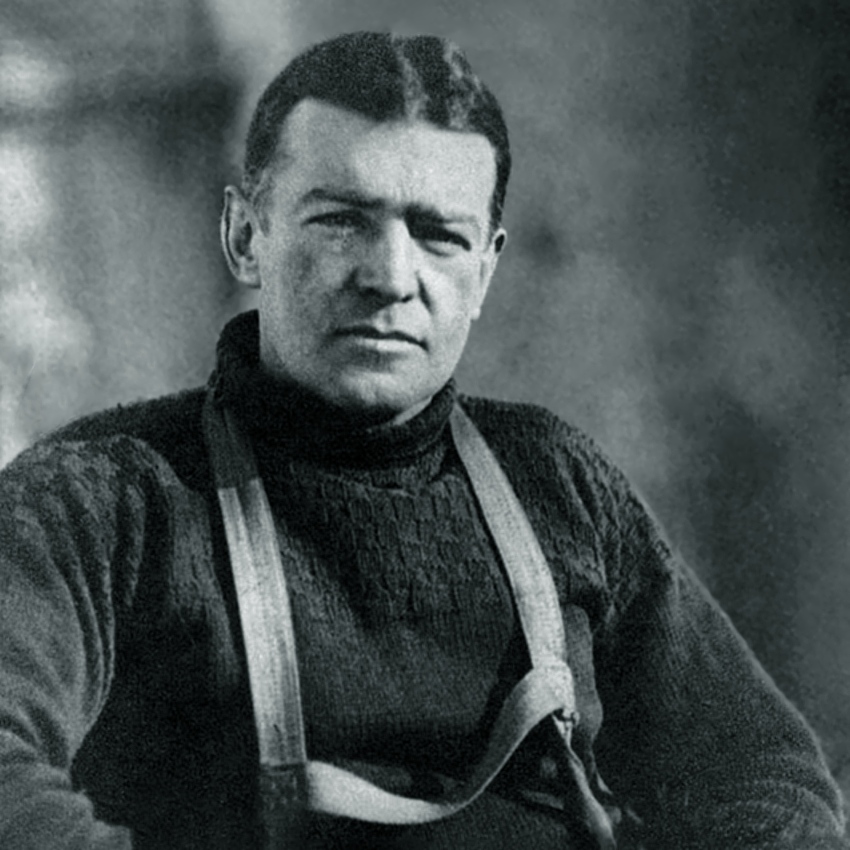
“We had eighteen fur bags, and it was necessary, therefore, to issue ten of the Jaeger woollen bags in order to provide for the twenty-eight men of the party. The woollen bags were lighter and less warm than the reindeer bags, and so each man who received one of them was allowed also a reindeer-skin to lie upon. It seemed fair to distribute the fur bags by lot, but some of us older hands did not join in the lottery. We thought we could do quite as well with the Jaegers as with the furs.”
Why would Shackleton defer? Shackleton was the second oldest member of the expedition and the leader. If anyone deserved to have one of the warmer bags, it was him. One could argue that the younger members of the team were better fit to withstand the hardships of their situation.
I believe they deferred because, quite simply, Leaders Eat Last. This mindset is one way leaders demonstrate care and commitment to their teams. Simon Sinek puts it this way:
“Marine leaders are expected to eat last because the true price of leadership is the willingness to place the needs of others above your own. Great leaders truly care about those they are privileged to lead and understand that the true cost of the leadership privilege comes at the expense of self-interest.” It’s a visual presentation of the value of the team.”
The reason this passage stood out to me is that I’ve had some recent conversations about succession planning within TTI. In my opinion, succession planning is really about demonstrating care for those we lead. Coaching, mentoring and guiding those who will someday replace us are primary skills for effective leaders. And not only planning for my own replacement but also helping my subordinate managers understand the value of succession planning creates success across the organization. Because, at the end of the day, it’s never about me, but about making my team successful and in so doing, making the organization successful.
When Nick McLarty resigned as TTI CISO in December, it was a significant blow to NIS because Nick was (and is) a valued and highly skilled team member. While I’m proud that Nick went on to become an Assistant Information Security Officer (ISO) for the TAMU System, I’m now tasked with providing a quality level of agency security in his absence.
I had heard about a number of TAMU system schools (5) that had engaged in the System contract to provide ISO services – the so-called “CISO In a Box.” After talking with my colleagues in some of these schools, I learned that the service was both economical and effective. One colleague told the story of how their contracted ISO recently lead them through a TAMUS Security Audit with a highly favorable outcome (i.e., Level 2). Of course, I asked Nick’s opinion, and he enthusiastically recommended it. After these communications, I wasn’t totally sold on the service as a permanent solution but thought it would be worth a try as a provisional one.
To this end, we contracted under the TAMUS master contract for ISO services in December. I intend to revisit the service in May and make a decision whether or not to continue the contract, or hire a new CISO. The decision will be based upon a set of performance metrics that Nick and the System Security group are helping me to identify.
While we are still working out the workflows, the results have been promising. The contractors are reviewing and maintaining our security framework, providing consulting on security issues, and will soon take on some of the operational work Nick was doing for us. These are things like security investigations and responses.
To our customers, the change will be completely transparent, I will ostensibly be the “Interim CISO” for the Agency, but our contractor will take care of the heavy lifting. 90% of our security infrastructure is automated, so the contractor will act in persona Nick and soon be responding to any security incidents that may arise. As they begin to respond to customers, I’m very interested in your feedback about the job they are doing.
EDUCAUSE, the mothership for higher education IT, has published their top 10 issues for 2020. Interestingly, the top three issues are Information Security, Privacy, and IT Funding.
Another interesting issue is #10 – “The Integrative CIO: Repositioning or reinforcing the role of IT leadership as an integral strategic partner of institutional leadership in supporting institutional missions.” What’s cool about my job is TTI does this already. For example, today I was in a meeting with some key TTI stakeholders to discuss how we will coordinate our work across the RELLIS campus, specifically in relation to the other engineering agencies. This is a very strategic endeavor that only tangentially touches on IT. I’m grateful and excited that I have the ability to contribute to the organization in this way. It’s an example of TTI’s commitment to integrate technology at the organization’s strategic level. This is one thing that makes my job very rewarding and fun.
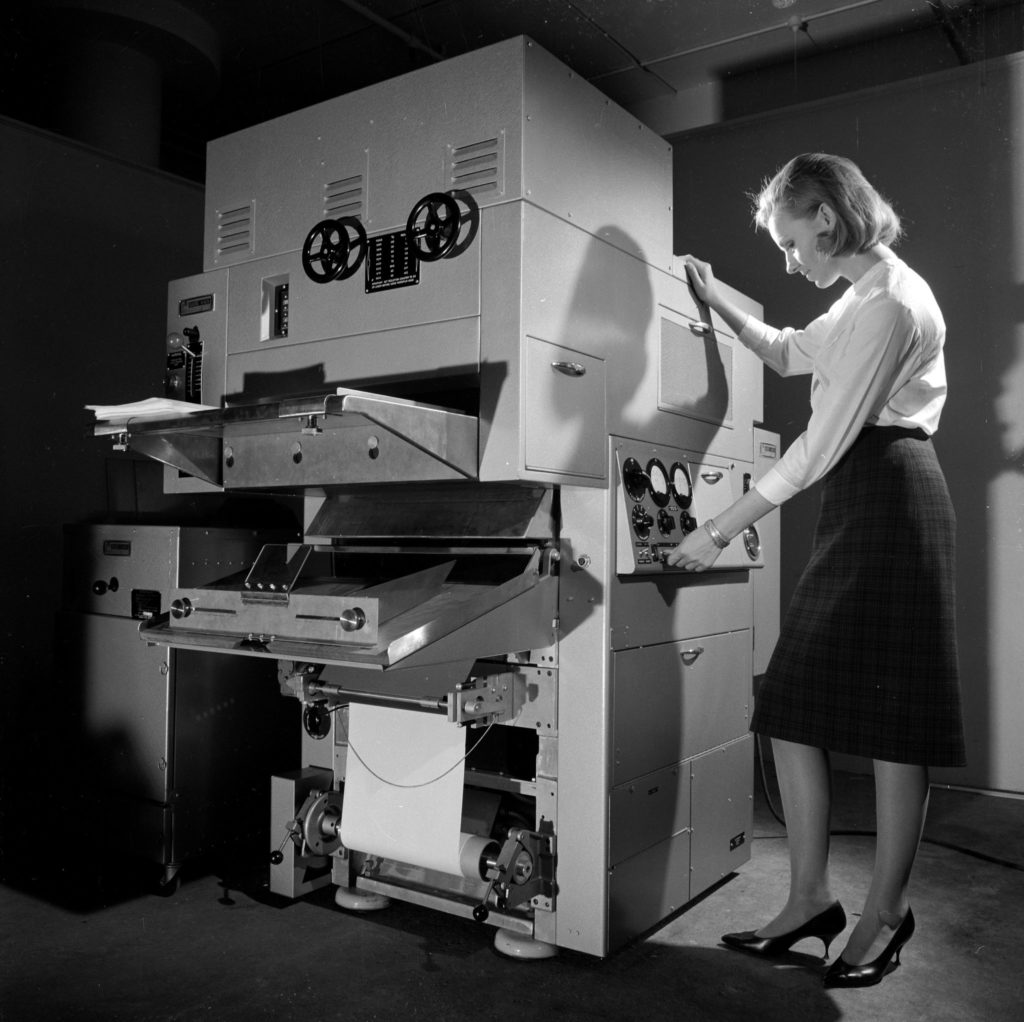
A Rank Xerox copying machine in 1963. Rank Xerox was a joint venture of Xerox and the Rank Organization of Britain.Credit…Walter Nurnberg/SSPL, via Getty Images
Out of the 23 copiers across the agency, 21 of them have contracts expiring in December. As a result, NIS has requested proposals from all of the current TAMUS vendors who provide multi-function printer (MFP) services. Our intention is to refresh the majority of agency’s MFPs in the fall.
What does that mean for you? Simple. You’re getting updated equipment, centrally managed by NIS, that will also print in color. While the financials have yet to be worked out, my intention is to provide central management and billing of the contracts as well as supplies.
With the added capabilities of these newer MFPs, we’re asking divisions to examine their business needs for personal printers and eliminate them unless there is a documented business need. These devices, while initially inexpensive to purchase ($200-$300), are the most costly IT asset in our environment. Supplies are many times more expensive per copy than MFPs, they are hard to configure, and they break frequently resulting in downtime. While there are some examples of specialty printers (e.g., check printers) that are needed by the business, in most cases, these printers are a convenience for which the agency pays a premium.
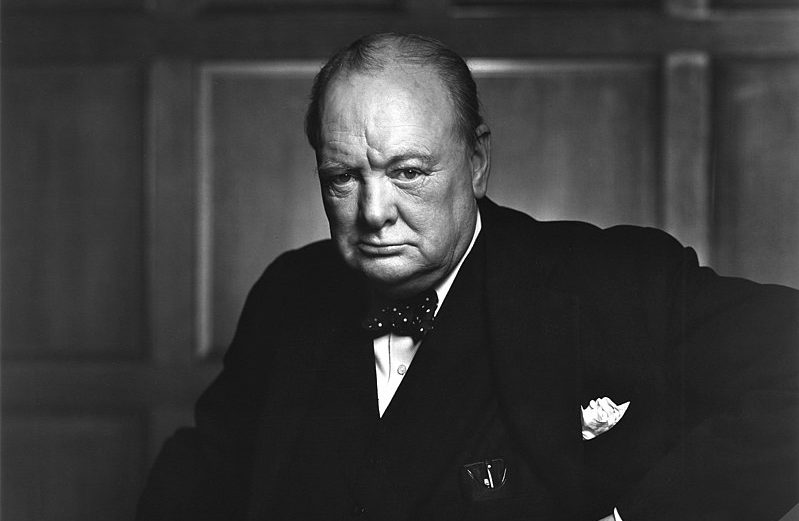
Today is the anniversary of the death of Winston Spencer Churchill, the architect of the Grand Alliance between Britain, America, and Russia during World War II. It’s fitting that we hosted the Tri-Agency Retreat for TTI, TEES, and TEEX today. The purpose of the retreat was to get the leadership of the three agencies together to discuss how to align efforts.
Some cool things came out of the retreat. But for me, the most important point was identifying who your team is. In order to collaborate effectively, leaders have to identify who their team is. This is NOT your local team, but the team above you. Patrick Lencioni makes this point very clear in his book, The Five Dysfunctions of a Team. “Who’s your team?” is the key question. While we didn’t discuss it explicitly, I think a lot of people in the room realized that our team is “the college of engineering agencies”, not our individual agencies. This is the mindset that we have to take to be effective at the level of collaboration envisioned.
For example, what do we do if we have opportunities requiring capabilities that no one agency possesses? In the past, perhaps we passed on these opportunities. To win requires coordination, collaboration, cooperation, and communication (Four C’s) within the engineering agencies’ team. Dr. Banks said it best when she remarked, “We are family…think about the face of engineering as one.”
I’m not saying that our agencies are not our team anymore – they are, and we are paid to attend to them as well. It’s a question of perspective. In order to make the mental shift to prioritize work that can only happen with the capabilities of multiple agencies, we have to consider the relative importance of the engineering agencies’ team.
We’re going to go back to work on Monday. What will we do to further the priorities identified in this retreat? What will we do to help our engineering agencies’ team? In its day, the Grand Alliance defeated the Nazi menace. I would say that’s a worthy accomplishment. Are we up to the task of accomplishing something great?